AI product photos: how to offer them to brands?
Short answer
Offer AI product photos as a service preparing and checking materials for a specific use. Show what comes from photography, what was generated and how you check product accuracy. Before starting, agree on sources, editing scope, revisions and publishing rules. Blogger Bank helps organise collaboration with a brand but does not generate photos or guarantee AI assignments.
Offer AI product photos to brands as a service that delivers checked materials, not access to a generator. The client needs an image of their product that they can use in an agreed setting. Your job is to combine photography, composition and detail checks so that an attractive arrangement does not change what the shop actually sells.
Before responding to a brief, prepare a sample with an explanation of what was photographed, what was created with AI and what was checked before delivery. Create a creator profile on Blogger Bank and demonstrate this skill when applying for a suitable brief. The platform helps organise collaboration with a brand; it does not generate photos or guarantee assignments requiring AI.
What you are actually selling to a brand
An offer to “make AI photos” leaves too many questions unanswered. Will you create a new image of the product or just a background? Will the material suit a shop gallery or an advert depicting an imagined scene? Replace the name of the technology with a description of the outcome: “I will prepare arrangements based on approved product photos, preserve the product's appearance and deliver versions intended for the specified publishing channels.”
The value of the service lies in responsible selection and checking of the material. Generation is one stage alongside the base photograph, cutting out the product, matching the lighting, retouching and rejecting unsuccessful attempts. The brand should not have to browse random variations to find the one with the correct label. It receives selected files with information about what they were prepared for.
Do not promise that AI will always shorten production or improve sales. With a shiny surface, transparent glass or a fine pattern, checking an image may require additional work. Include preparation of the source material, tools, attempts, retouching, accuracy checks and revisions in your offer. This is a list of the work involved, not proof of savings compared with a conventional shoot.
The boundary between photography, visualisation and a creator's experience
A product photograph on a generated background combines different kinds of material. The product itself may come from a photograph, but the surroundings do not document a real location. An entirely generated image is a visualisation, even if it looks like a photograph. Neither method proves that the creator used the product in the conditions shown.
Distinguish these details in your service description and when presenting a sample. “My photograph of the vase, generated background, manually retouched edges” tells the brand more than “lifestyle shoot”. If the product was not photographed in a particular home, do not describe the image as a record of such a shoot. If the creator did not test it, do not add opinions about comfort, durability or performance.
We explain the general distinction between packshots and real lifestyle photos in our guide to product photos from UGC creators. Here, there is another task: identifying where the elements came from and the limits of editing. An AI influencer, meanwhile, is a separate topic concerning a virtual character. Using AI in editing does not turn a photographer into a synthetic personality.
Also state in your offer what you will not do without new source material. A photo of the front of a package does not confirm what its back looks like. Do not guess at a hidden fastening or the shape of the base. Ask for an additional shot or suggest a composition showing only the known side of the product.
A portfolio that shows the creator's contribution
A portfolio for this service should show the process, not just an impressive final result. Alongside a selected piece, include the base photograph, the final version and a brief explanation of your decisions. Indicate which parts were retained from the photograph, where generation was used and what was corrected manually. Do not present other people's photos as your own or a demonstration as a commission from a real client.
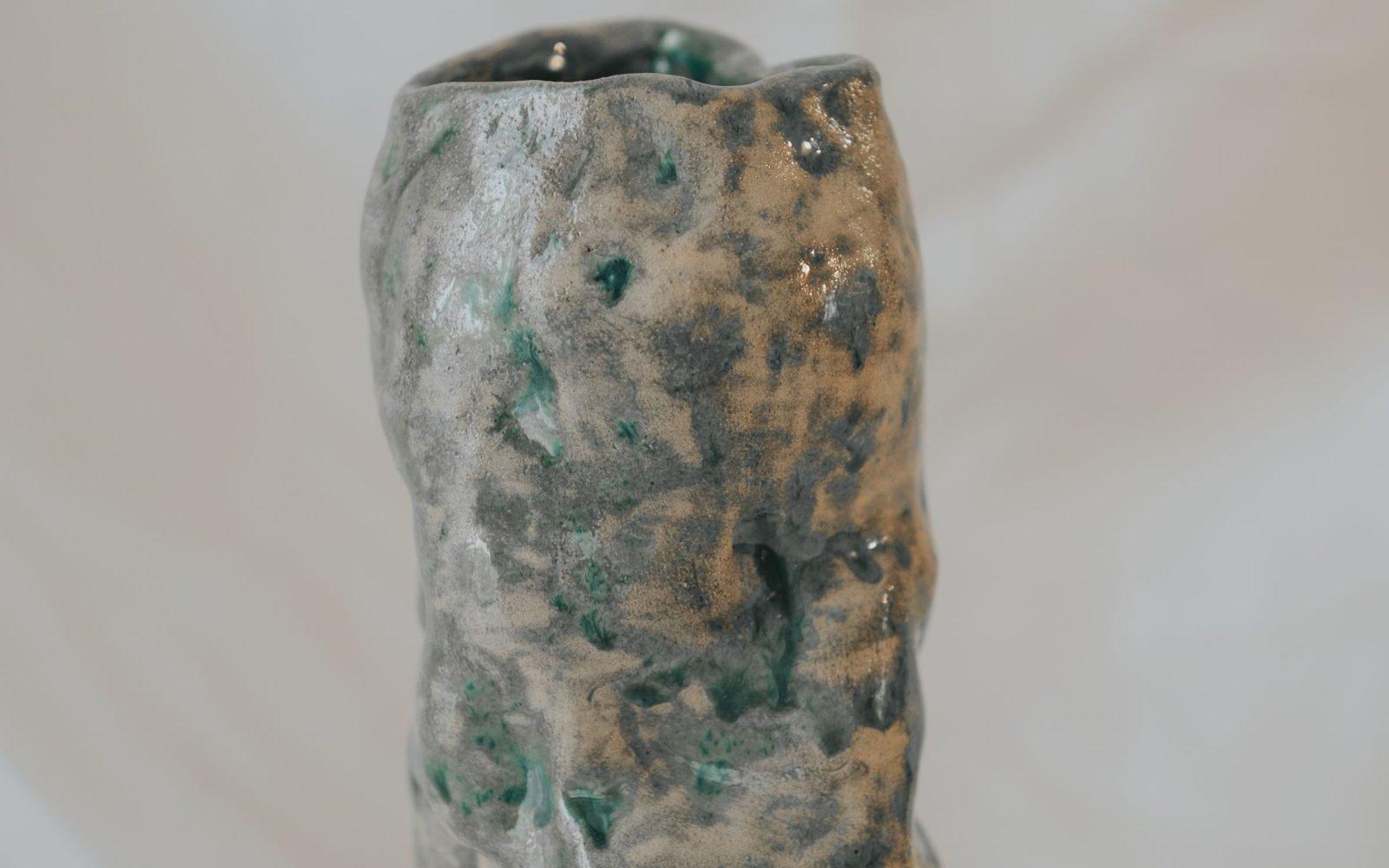
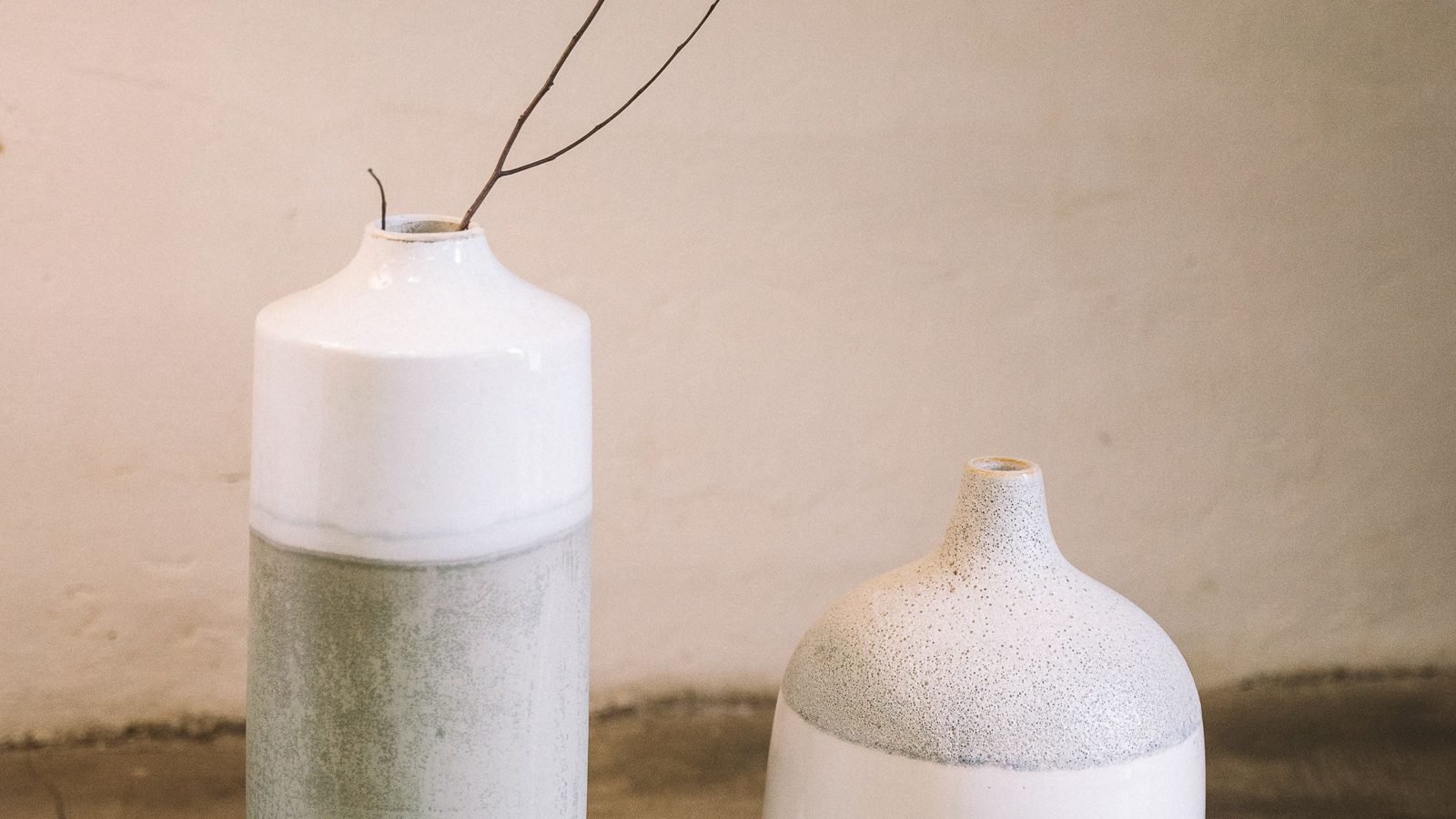
A training example, not a Blogger Bank project: a Polish creator prepares a proposal for a ceramic vase workshop. They photograph the shape and glaze, then develop a background resembling a calm interior. One attempt adds a handle to the vase. The creator rejects that version, even though the composition looks attractive, because the workshop does not sell that model.
In the demonstration, the creator shows the correct image and explains why the flawed one was rejected. For the brand, this demonstrates their working method: the supplier does not accept a new feature simply because it fits the scene. The reference photograph remains the point of comparison for every revision. The photographs illustrating this article are stock photos, not documentation of this exercise or its generated results.
For the glaze, check not just the overall colour but also the speckles, sheen and contours of the edges. A reflection of a generated window should not conceal a crack or suggest a different finish. Compare the final file with the base image at magnification, then at the publishing size. A small preview may hide an error that the client will see when opening the gallery.
Add a brief note to the portfolio about the sample's limitations: “Demonstration arrangement; accuracy of the visible side checked against my own photograph; the scene does not show a product test.” Do not add sales results that were never measured. This description makes it possible to assess your skills without guessing the story behind the image.
Service scope and responsibility for acceptance
Before production, turn the discussion about aesthetics into acceptance criteria. Specify the input files, intended uses of the materials and the person on the brand's side who knows the product. The creator checks the execution and consistency with the sources, while the brand approves the representation of what it sells. Its approval does not release the creator from correcting a noticed error.
- Source material: who supplies the photographs and specification, which variant they concern and whether they may be uploaded to the chosen tool.
- Editing: whether generation covers only the background, also props or another agreed part of the image. The product's shape, logo and label remain checkpoints.
- Deliverables: a list of scenes, file formats and resolutions, and the intended use of each version. An advertising image does not automatically qualify as a listing's main photo.
- Revisions: distinguish correcting a product error from changing the interior concept. Agree on how feedback will be submitted and when the direction will be approved.
- Documentation: a description of the elements' origins, information about AI use and required metadata, together with the approved final version.
Do not hide a problem in another export. If AI changes the wording, return to the original layer or the real photograph instead of asking the model for another approximate label. If a detail cannot be reproduced reliably, suggest a different shot. Product accuracy is an acceptance criterion, not an optional aesthetic adjustment.
At handover, label versions by product, variant and intended use. Ask for feedback referring to a specific file: “the glaze is too light in this shot”, not “the photos look odd”. Keep the sources and approvals so that a later request for a new format does not force you to reconstruct the entire process from memory.
What to agree on before using AI
A brand's approval of the result does not mean permission to upload any material to an external tool. Before uploading a photograph of an unreleased collection, establish whether such a service may be used and with which settings. Check the terms for data processing, project sharing and commercial use of outputs. Do not upload confidential files as a test and only ask for permission afterwards.
The tool's terms, rights to the base photograph and the publishing channel's rules are separate matters. For example, the official Adobe Firefly FAQ describes the possibility of commercial use of outputs and directs copyright protection questions to a specialist. This is not blanket permission covering other people's photographs, trademarks or all models available in different applications. This example illustrates checking the terms, not a tool recommendation.
Check the channel's technical requirements separately. Google Merchant Center's rules for AI content require metadata identifying generated images and prohibit removing embedded information about their origin. They also mention images composed of synthetic elements. Therefore, check not just the preview but also the finished export and whether further editing preserves the necessary metadata.
A specific channel's requirement is not permission to publish everywhere. Before handing over an image, check the current rules of the specified marketplace or advertising system, including rules for the main image and AI disclosures. Agree with the brand on who will check the final publication. Sources were checked on 19 November 2026; doubts about rights or disclosure obligations for a specific piece of material require an individual assessment, not an assurance that “AI can be used commercially”.
How to find suitable collaborations
Look for a brief where your method solves the stated task, rather than any brand you could send a generated image to. If a company needs photos of actual use, propose a real shoot. If it wants product arrangements, show a sample with accuracy checks and ask whether it allows a generated background. The absence of an AI ban in a brief is not yet agreement to use this method.
Create a creator account on Blogger Bank, complete your profile with a clearly described portfolio and apply for assignments that match your skills. In your response, specify which base photographs are needed, what you intend to generate and how the brand will accept the result. Do not promise that the platform will find an AI client; you present the scope, and the brand decides which supplier to choose.
Blogger Bank brings together the application, agreements, contract and secure payment within a collaboration. According to the process description for creators, the budget is secured before work begins, and payment follows acceptance of the result. Therefore, include a verifiable scope in your agreement, not just “AI photos”. The platform organises collaboration, but it does not check for you whether a generated vase matches the real one.
Start with a sample you can explain from the base photograph through to the final file. Only then choose a suitable brief and propose a specific deliverable to the brand, its intended use and how it will be checked.
Frequently asked questions
Can you earn money from AI product photos?
You can offer brands AI-assisted photo production if the materials meet agreed requirements. The service's value is a finished, checked set, not generation alone. Assignments and income are not guaranteed; you need a portfolio, quality control and clear collaboration terms.
How do you prepare an AI product photography offer for a shop?
Describe the photos' intended use, shot list, file formats and revision scope. Separate real product photography from generated elements. Agree who supplies base photos, who approves product accuracy and which uses of the materials the offer covers.
Are AI product photos the same as UGC?
No. A generated scene does not confirm anyone used the product. UGC creators can use AI in editing but should clearly separate real experience from visualisation. Do not present synthetic images as documentation of a test or a customer review.
How do you check whether AI changed a product's appearance?
Compare the finished image with reference photos and the product specification. Check colour, proportions, texture, wording, logo and set contents. Do not treat unseen details as verified. Correct flawed material or replace it with real photography before client handover.
What should you include when pricing AI product photos?
Include base photo preparation, composition work, tools, unsuccessful attempts, retouching and quality control. Agree on revision scope and material usage. The generation fee alone does not reflect all the work needed to deliver an approved set of photos.
Can AI photos be used in shops and on marketplaces?
Before use, check the site's current rules and commercial usage terms for the tool and base photos. The image should match the offered product. Do not assume approval of advertising artwork means permission to use the same main listing photo.
How should creators show AI product photos in their portfolio?
Show the base photograph and finished material, describing your contribution and the scope of AI use. Include examples of detail accuracy and different uses. Label demonstrations as your own exercises rather than implying brand commissions or verified sales results.
How can a UGC creator find product photography assignments?
Look for brand briefs matching your portfolio and propose a specific scope of materials. Creators apply themselves on Blogger Bank. Agree on AI use with the brand before starting. The platform combines collaboration, contracts and secure payment but does not guarantee assignments.